
New to FPV? Start here.
From First Build to First Flight.
Most people quit FPV before they ever fly — not because they don't want to, but because getting started feels impossible. This page is built to fix that.
Getting started
Before You Fly
The fastest, cheapest way into FPV is a simulator — it teaches the actual skill (reacting to what the camera shows you, not what your eyes see) without any risk to real hardware. Spend real time in a sim before your first outdoor flight; it’s the single biggest thing that separates pilots who stick with FPV from pilots who crash once and quit. From there: explore aircraft suited to your experience, learn what each piece of equipment does (below), and work through a first-setup checklist before you fly.
Know your aircraft
Understand It Before You Fly It
From your first simulator session to your first solder joint, understanding how your aircraft actually works makes every problem after that easier to diagnose.
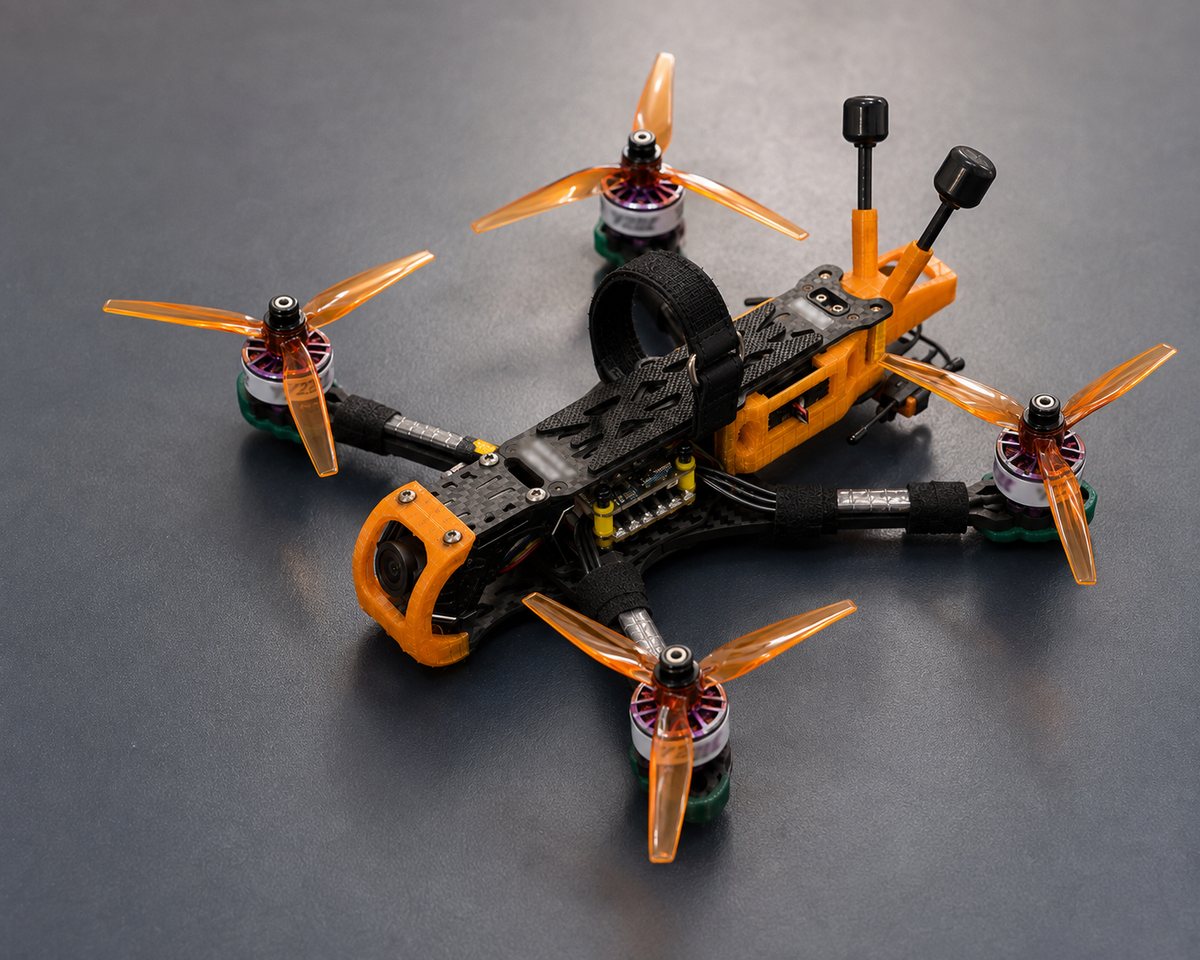
What you're actually flying
Equipment Explained
Frame (the structure), motors and propellers (thrust), a flight controller (the "brain," running firmware that keeps it stable), and an ESC that feeds power to each motor.
Show you a live video feed from the aircraft’s camera. Analog goggles are simpler and cheaper with a shorter range; digital systems (DJI, HDZero, Walksnail) give a sharper image at a higher cost.
What you actually fly with — sticks send control inputs to a receiver on the aircraft. Needs to be "bound" (paired) to that specific receiver before it will respond.
FPV aircraft run on LiPo batteries — higher power density than the batteries in most consumer electronics, but they need a dedicated LiPo-aware charger and a fire-safe storage/charging bag. Never charge one unattended.
Setup & flight guides
Your First-Setup Checklist
- 01
Bind your radio transmitter to the aircraft’s receiver before anything else.
- 02
Confirm propeller direction and orientation on every arm — reversed props are a common first-flight mistake.
- 03
Set up and test your failsafe (what the aircraft does if it loses the radio signal) before you ever fly.
- 04
Check your battery’s voltage alarm is configured, and never fly a swollen or damaged LiPo.
- 05
Do a bench test — props off — and confirm every motor responds correctly before your first flight with props on.
- 06
Fly your first flights somewhere open, legal, and away from people, buildings, and roads.
Build-specific setup steps, radio-binding instructions, and firmware versions depend on exactly which components are in your aircraft — rather than guess at a generic guide, we send these directly with your build, and our support team can send them again any time. Manuals and general guides also live on our Downloads page.
Ready when you are